
Your ticket, in Wallet
No more digging for the payment screenshot in your gallery while the queue moves.
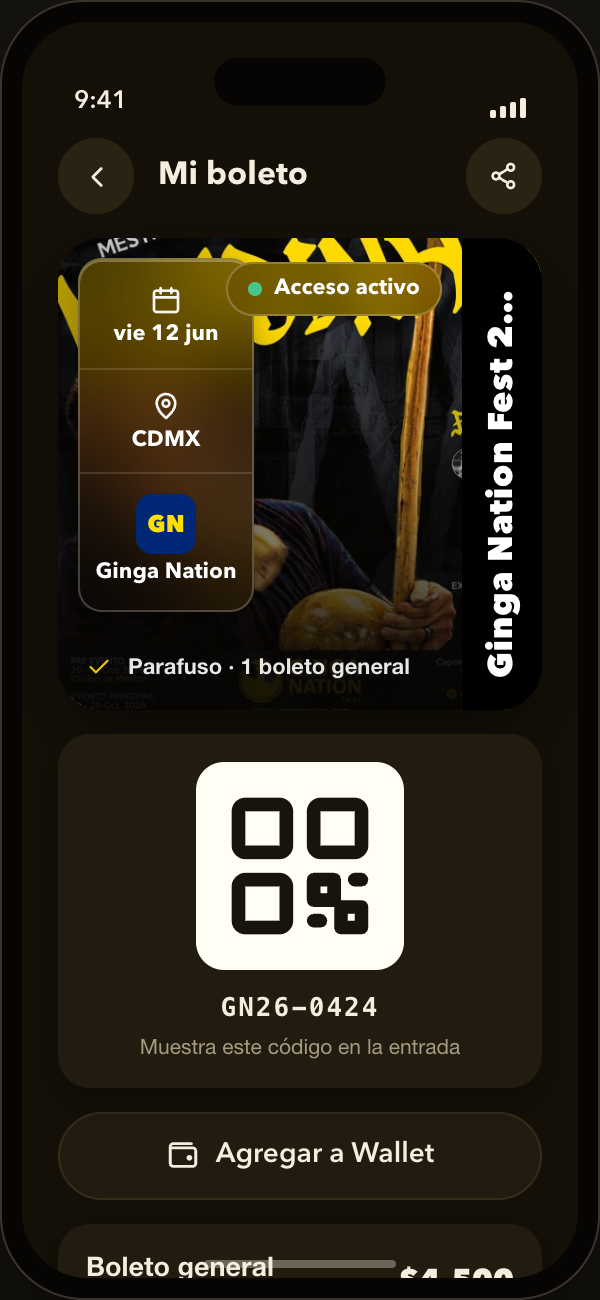
The ticket stops being a screenshot and becomes a real pass, with its QR code, in the same wallet where you keep your boarding pass.
How it works
Four steps, from payment to the door.
-
Buy from your phone
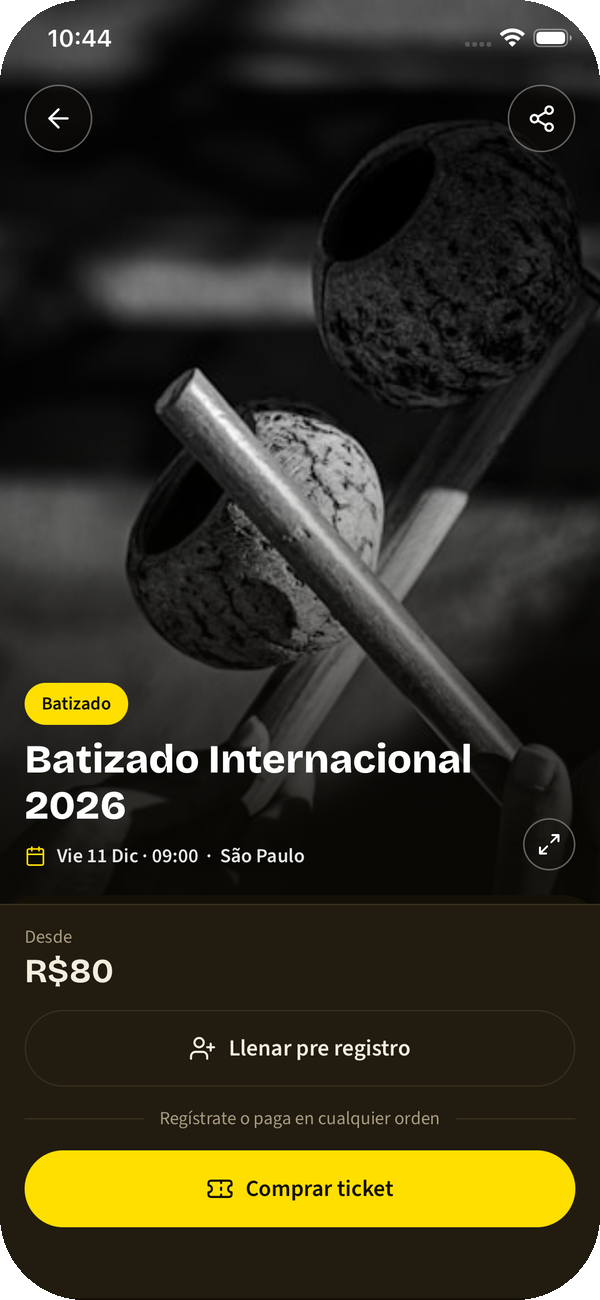
You pick your package, fill in the event form and pay online. No message chains, no receipts to send.
↔ The organizer sees your registration and your payment right away, without keying anything in.
-
The ticket lands in the app
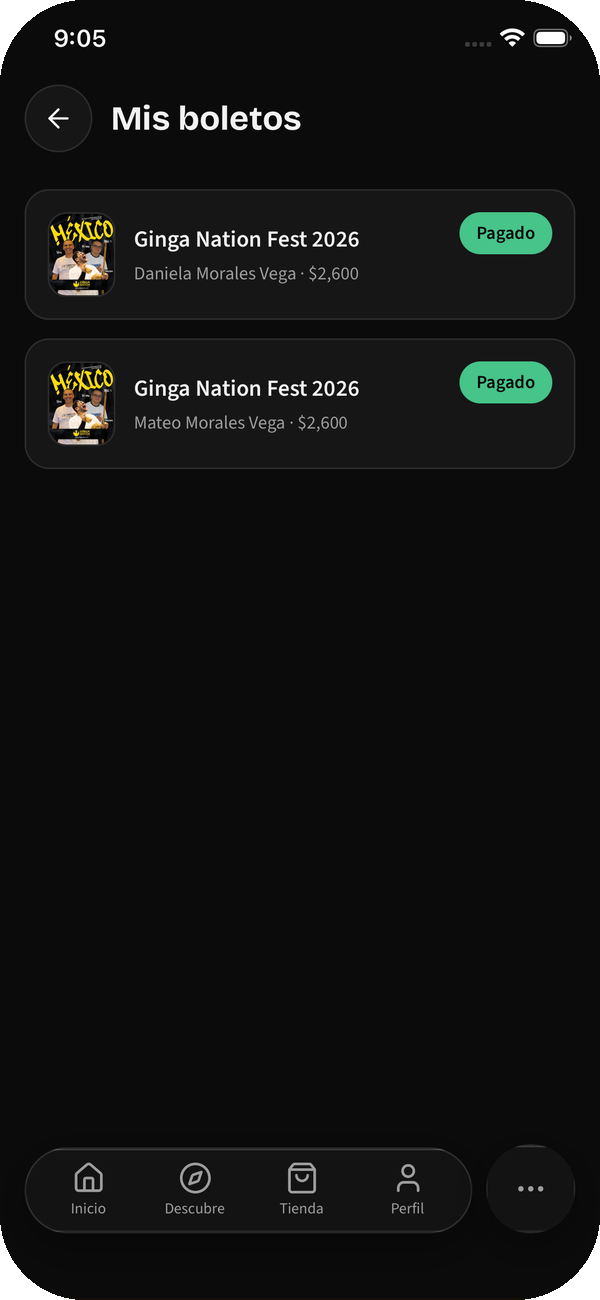
It shows up in your tickets tab with its QR code, the venue, the time and what your package includes.
-
Save it to your Wallet
One tap and it sits in Apple Wallet or Google Wallet with everything else. You do not need to open the app to show it.
-
Walk in by scanning
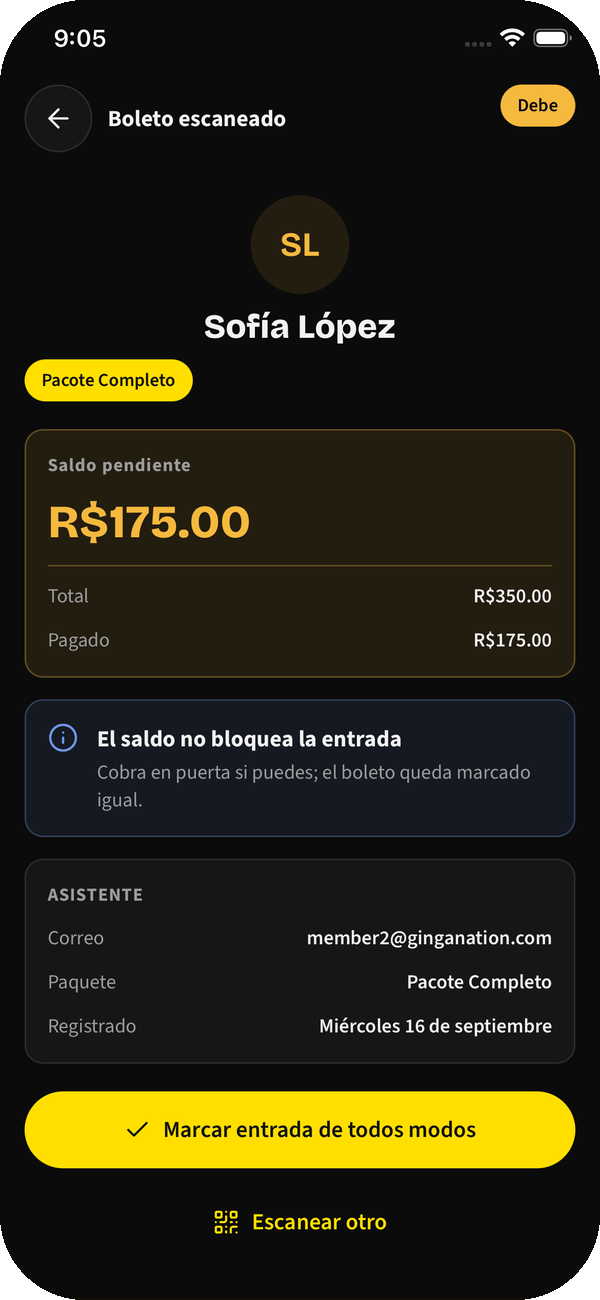
At the door they scan your code and you are in. Whoever is receiving sees who you are and whether you paid, without searching any list.
↔ The organizer scans with their own phone: no reader, no laptop.
Worth knowing
- If you buy for several people, each attendee carries their own ticket and their own code.
- If the time or the venue changes, the pass you already saved updates itself: no need to download it again.
- If a registration is cancelled, the pass is revoked and stops working at the door.
- The QR code is also visible inside the app, in case the phone has no Wallet.
More features
The rest of what the app already solves today.
- Your guests, in one thread The deal with each guest mestre got lost among old conversations.
- Your school’s books Payments arrived as WhatsApp screenshots and by month’s end nobody knew who still owed.
- Your group’s cords Graduations lived in a notebook, and at the batizado nobody remembered who was ready.
- Promote your event from your phone Your batizado lived in an Instagram story that expired in twenty-four hours.
- Run your event without the chaos Registrations came by chat, payments by screenshot and the schedule in a PDF nobody opened.
- Your trial classes, with follow-up Someone asked about a trial class, you replied, and that was the end of the story.
- Find events and rodas Events lived in Instagram stories, and you found out once they had already happened.
- Tell everyone without chains A last-minute venue change was a WhatsApp chain that never reached half of them.
Carry your next ticket on your phone
Downloading the app is free.